There is no gate and no gatekeeper. Amazon's Kindle Direct Publishing (KDP) is free, most other stores are free through an aggregator, and a first title can be live within a week of the manuscript being done. What actually takes the time is the work around the writing: editing, a cover that competes, interior layout that survives every screen size, and metadata that lets a stranger find the book. This guide walks that work in order.
The path, start to finish
- Finish and edit the manuscript. A structural / developmental pass first (does the story or argument hold?), then a line edit, then a proofread — ideally with fresh eyes on each, not the same read three times.
- Lay out the interior. Novels and most non-fiction are reflowable: build from a clean Word file, an EPUB, or a
.kpffrom Amazon's free Kindle Create app. Picture books and heavily illustrated children's books are fixed-layout — the page is a designed image, so layout happens in a tool like Kindle Create's illustrated flow, Vellum, or InDesign, exported as fixed-layout EPUB. - Commission or build the cover. The Kindle eBook cover is a single portrait image, 1.6:1 ratio, 1600 × 2560 px recommended, RGB JPEG or TIFF. It has to read as a thumbnail — title legible at 200 px, genre obvious at a glance. A print cover is a separate full wrap PDF sized to the exact page count and trim.
- Write the metadata. Title and subtitle, series name and number, author plus any contributors, a description of up to 4,000 characters (light HTML allowed), language, two to three browse categories, seven keyword phrases, and — for children's titles — a reading age and grade range. This is the discoverability layer; treat it as seriously as the cover.
- Disclose AI involvement. At publish time KDP asks whether the book contains AI-generated text, images, or translations, and to what degree. Answer it honestly — "AI-assisted" (you used tools but reviewed and revised) is different from "AI-generated," and it's asked per content type.
- Upload, preview, and publish. Create the title in KDP, upload the interior file and the cover, and read the whole book in the Online Previewer on phone, tablet and e-ink sizes before you hit publish. Review typically clears in 24–72 hours.
- Set price and royalty. KDP pays 70% on a list price of $2.99–$9.99 (when other conditions are met), and 35% outside that band. Pick a price that matches your genre's norms, not what feels fair for the effort.
- Decide exclusive or wide. Enrolling in KDP Select means 90 days of Amazon exclusivity in exchange for Kindle Unlimited page-read income and a few promo tools. Staying wide means you can also sell on Apple Books, Kobo, Google Play, Nook and libraries from day one.
- Add print, then audio. KDP Print does print-on-demand paperback and hardcover with no inventory; IngramSpark adds bookstore and library reach with returns. Audiobooks go through ACX (Audible) or a wide distributor.
- Launch and keep selling. Pre-order to concentrate early sales, gather honest early reviews, link the series together so one book sells the next, and test a small Amazon Ads budget once the page converts.
Kindle / KDP specifics worth knowing up front
- Set up the KDP account at kdp.amazon.com and finish the tax interview and payment details before you build a title — royalties are withheld until it's done.
- You get two to three categories in the KDP form; you can ask KDP support to place a title in additional relevant categories.
- Keywords are seven phrases, not seven words — use reader-language search terms, not adjectives about your prose.
- The 70% band also carries a per-megabyte delivery fee, so compress images sensibly in illustrated books.
- Children's and illustrated books require the age/grade range and generally sell as fixed-layout; parents also buy the paperback, so plan the print edition early.
Beyond Kindle
- Direct: Apple Books and Google Play Books both let you upload EPUBs yourself.
- Aggregators: Draft2Digital or PublishDrive push one EPUB to Apple, Kobo, Nook, Google Play, Everand and library systems, and handle payment consolidation.
- Print reach: KDP Print for Amazon, IngramSpark for everyone else.
- Audio: ACX for the Audible ecosystem, or a wide route such as Findaway/Spotify for Audiobooks.
Worked examples
The first three are live listings; the rest are mid-pipeline. Each gets its own full walkthrough here as it publishes.
Lumi's Dream Kitchen — the Dream Kitchen Mysteries
A full cozy-mystery series set at the Dream Kitchen Tea & Bakehouse in Bellwether Bay, Maine. The reflowable adult-fiction path run three times: manuscript → staged editorial passes → Kindle Create interior → thumbnail-first cover → cozy-mystery categories and keywords — with each book's back matter seeding the next so the series reads through.



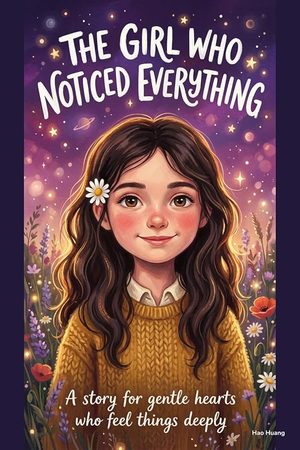
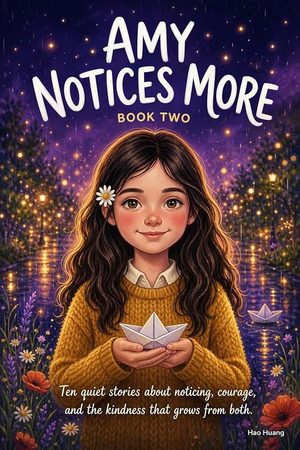
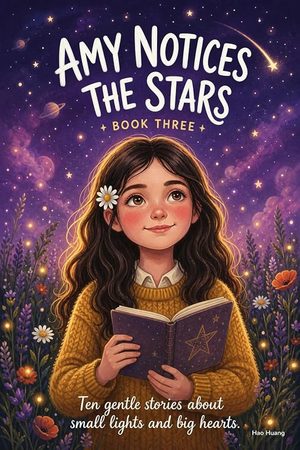
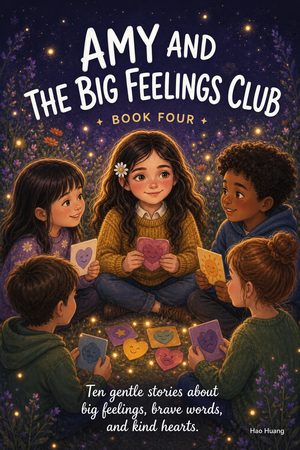
Amy Notices — early-reader series
Example of the illustrated children's path: fixed-layout interiors, a consistent painterly illustration style across the set, ~32 pages per book, reading age 5–8, priced at $2.99, with a shared format that makes each new book faster to produce.
The Rosy Affairs Series
Closed-door contemporary romance under a dedicated imprint name (Rosy Affairs Press), pen name Hao Huang. The example of a lean, ebook-only launch: Kindle first, print-on-demand deliberately deferred until there's reader demand, and a short "the series" page in the back matter instead of a heavy marketing appendix.

The Living Grid — cyberpunk trilogy
Three complete manuscripts packaged and waiting on final KDP export — a longer, multi-book adult genre release. Its walkthrough lands here when it publishes.
Check back →Watch the series — the read-along videos
All five Amy Notices books, narrated and animated: 48 stories, 23 minutes, one video. Open a book to see its stories and tap any title to start at that point. Collapsing a book closes the player and stops the sound.
The combined video is finished and waiting on its YouTube upload — the player switches on as soon as the link is live.
Read it on Kindle: The Girl Who Notices Everything →
Read it on Kindle: Amy Notices More →
Read it on Kindle: Amy Notices the Stars →
Read it on Kindle: Amy and the Big Feelings Club →
Kindle edition coming soon.
Every story is narrated with an offline text-to-speech voice and animated from the book's own illustrations — the same art that ships inside the Kindle editions.